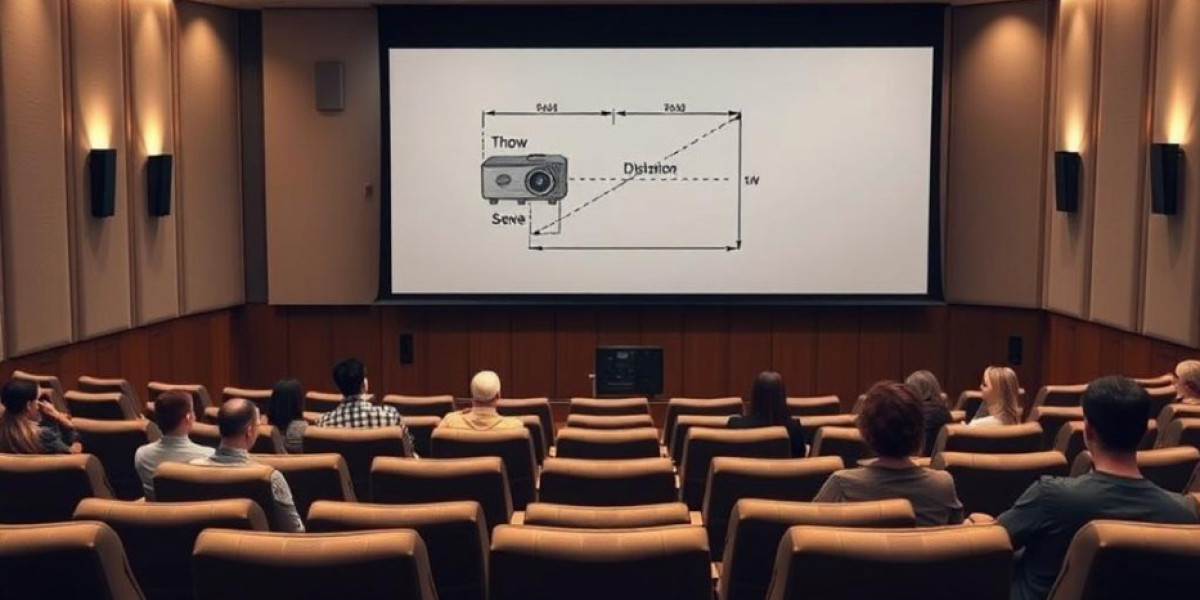

Glare and shadows are common issues in auditorium projector setups that can compromise audience experience. Glare can strain the eyes and wash out image clarity, while shadows can obscure critical content and reduce visibility. Large venues with multiple light sources, varying seating heights, and complex stage designs are especially prone to these problems. Proper planning, projector placement, screen selection, and lighting control are essential to minimize glare and shadows. XTEN-AV and similar AV platforms provide tools to simulate projector placement and lighting effects to prevent these issues during design and installation.
Understanding Glare in Auditoriums
Glare occurs when light from the projector or ambient sources reflects directly into the audience’s eyes:
Direct Glare: Caused when audience members look toward a projector’s beam or lens.
Reflected Glare: Occurs when light bounces off reflective surfaces such as glossy screens, walls, or stage equipment.
Specular Glare: Strong reflections from polished surfaces or bright objects can distract viewers.
Understanding Shadows in Auditoriums
Shadows are created when objects block the projector beam:
Audience Shadows: People moving between the projector and screen can create temporary obstructions.
Equipment Shadows: Microphones, podiums, lighting fixtures, or stage props may partially block the projection.
Structural Shadows: Columns, railings, or balcony overhangs can interfere with the projected image.
Projector Placement Strategies
Ceiling Mount Placement
High Placement: Ceiling-mounted projectors keep the beam above audience heads, reducing direct glare and shadow formation.
Lens Shift Adjustment: Use vertical or horizontal lens shift to align the image precisely without tilting the projector, preventing keystone distortion that can worsen glare or shadows.
Distance from Screen: Ensure throw distance is calculated to avoid bright hotspots or washed-out areas.
Rear Projection
Beam Behind Screen: Rear projection eliminates shadows caused by audience members or stage equipment.
Screen Choice: Use high-quality rear-projection screens that diffuse light evenly without causing glare.
Space Planning: Allow sufficient room behind the screen for proper throw distance and ventilation.
Front Projection Adjustments
Podium or Shelf Mounting: Position projectors slightly above or behind potential obstruction points.
Angled Projection: Tilt the projector carefully to cover the screen fully while avoiding light directly in the audience’s line of sight.
Short Throw Lenses: Reduce the projection path and minimize shadow formation from people moving in the room.
Screen Selection and Placement
Matte Screens
Use matte screens to reduce specular reflections and glare caused by ambient lighting.
Avoid glossy or metallic surfaces that intensify unwanted reflections.
Proper Screen Height
Position the screen to align with sightlines from the first row to the last.
Avoid placing the bottom of the screen too low or the top too high, which can force viewers to look directly at the projector beam.
Screen Size
Select a screen that fits the projector’s capabilities and throw distance to ensure even brightness distribution.
Oversized screens can reduce brightness and make glare more noticeable.
Ambient Lighting Control
Dimmer Systems
Install dimmers to adjust stage and room lighting based on projection requirements.
Blackout Curtains or Blinds
Block sunlight or external lighting that could wash out the projected image.
Stage Lighting Management
Position stage lights to avoid reflecting off the screen or shining directly into the projector beam.
Advanced Projection Techniques
Edge Blending for Multi-Projector Setups
Use edge blending in multi-projector configurations to prevent hotspots or uneven brightness that can cause glare.
Use of Neutral Density Filters
Filters reduce the projector’s brightness in areas that may otherwise cause glare without affecting overall image clarity.
Interactive Lens Adjustments
Zoom and focus adjustments help prevent hotspots and uneven illumination that contribute to glare.
Avoiding Obstructions
Audience Path Planning
Avoid placing projectors where audience movement or stage access could create shadows.
Use overhead projections or elevated mounts to reduce interference.
Equipment Positioning
Ensure microphones, podiums, or AV racks do not block the projection path.
Use compact or low-profile mounts for necessary equipment near the screen.
Maintenance for Consistent Performance
Lens Cleaning
Dust or fingerprints on the lens can scatter light, increasing glare.
Clean lenses regularly using proper materials to maintain sharp, clear projection.
Filter Maintenance
Keep air filters and cooling vents clean to prevent overheating and light flicker that may mimic glare.
Projector Alignment Checks
Regularly verify projector alignment to maintain correct image placement and minimize shadow formation.
Using XTEN-AV Tools to Optimize Setup
Simulation
Model room lighting, projector placement, and audience positioning to anticipate glare and shadow issues.
Simulate various projector types and lens options to choose the best setup for each auditorium.
Projection Path Analysis
Evaluate the projection path to detect potential obstructions from stage equipment, ceiling fixtures, or architectural features.
Lighting Effect Visualization
Assess ambient light impact on screen brightness and plan dimmers or blackout measures accordingly.
Case Study Example
A performing arts auditorium frequently experienced glare and shadows during presentations and live performances. Using XTEN-AV simulation tools, the AV team tested projector placement, lens shift, screen height, and ambient lighting scenarios. Ceiling-mounted short-throw projectors were installed with matte screens to minimize reflections. Stage lighting was repositioned, and blackout curtains were added to control natural light. After calibration, glare was eliminated, and shadows from the audience and equipment were no longer an issue, providing a comfortable and visually clear experience for all viewers.
Conclusion
Reducing glare and shadows in auditorium projector setups is essential for delivering high-quality visuals. Proper projector placement, careful screen selection, ambient light management, and strategic lens adjustments play a critical role in creating a distraction-free viewing experience. XTEN-AV and similar AV platforms simplify design, simulation, and calibration, allowing AV professionals to optimize projection systems before installation. By following best practices, controlling ambient light, and addressing potential obstructions, AV teams can ensure bright, clear, and evenly illuminated images, providing an exceptional experience for every audience member in the auditorium.